Q: Should you create a separate welcome series for Retention.com leads? A: Yes – absolutely. These “nearly cold” contacts should go into a personalized welcome flow that fully taps into the buying signals left behind by the anonymous visitor.
This playbook provides the context and step-by-step details for implementing that welcome flow effectively.
Our team can set up this Retention.com welcome flow directly in your Klaviyo account—so you can start driving more revenue from cold leads without lifting a finger. It’s completely free. Book a call to get started — this offer is available to brands with product catalogs of 50+ products.
Things to Know
Email Flow Structure: Timing & Frequency
- Start with 3–5 emails, sent soon after the visit. For cold website visitors identified by Retention.com, a short, fast-paced welcome series works best.
- This quick cadence keeps your brand fresh in their mind while they still remember visiting your site.
- Send the first email ASAP: Trigger the first welcome email immediately or within a few hours of the visitor’s session.
- Hitting their inbox the same day they visited increases the chance they recall your brand and open the message.
- For example, you might use a segment-triggered flow: when a new profile is added to your “Retention Leads” segment, send Email #1 right away.
- Send a second email about 1 day later, and a third email the day after that.
- Each email should build on the last.
- After 2–3 emails in as many days, if the lead hasn’t opened any email, you can pause further emails — additional emails are likely to have diminishing returns.
Messaging Strategy: Warming Up Cold Leads
Since these contacts didn’t explicitly subscribe, the tone and content of your emails should re-introduce your brand, provide value, and build trust — essentially turning a cold lead into a warm prospect. Keep the messaging friendly and helpful, not overly salesy.
- Craft curiosity-piquing subject lines: Reference their recent visit or shopping intent in a casual way. Subject lines like “Still looking?”, “Thanks for stopping by!”, or “Did you find what you were looking for?” work well.
- Acknowledge why they’re getting the email: In the opening lines, remind them that they visited your site. For example, “You stopped by our website recently – here’s a quick hello from [Brand Name]!” This context reduces confusion and makes the email feel relevant.
- Introduce your brand and best offerings: Highlight a few bestselling or new products they might like, and briefly mention what makes your brand unique. Share a couple of bullet points about your value props or a snippet of your brand story.
- Provide an incentive to shop: Consider offering a special discount or free shipping for first-time customers. Many brands include a promo code in the first or second email (e.g. “Here’s 15% off your first order, just for you”).
- Include clear calls-to-action: Every email should have a single, clear CTA button or link. Examples: “Browse New Arrivals”, “Shop Best Sellers”, or “Claim Your Discount”.
- Vary content across the series: Email 1 could be a broad “Welcome/Thanks for visiting + here’s what we offer”. Email 2 might highlight top products or categories. Email 3 could share customer favorites or testimonials and remind them of the incentive.
- Personalize when possible: Use what they browsed to personalize product recommendations. Avoid generic “Dear subscriber” language — make it feel one-to-one.
Segmentation and Deliverability Tips
- Use a dedicated segment for Retention.com leads: Tag them or add them to a “Retention.com Leads” list in Klaviyo upon sync. This allows you to filter them into a dedicated welcome flow and exclude them from other automations until appropriate.
- Gradually warm these contacts: Avoid blasting them all at once. Start with the welcome series, and hold off on including them in regular newsletters until they show some engagement.
- Monitor engagement closely: Track open rates and click rates on the welcome emails. After the welcome series, segment out those who engaged vs. those who didn’t.
- Suppress or sunset unengaged contacts: Do not keep emailing leads who show no signs of life. You might implement a sunset policy: if no opens after 3 emails, mark as unengaged and stop emailing them.
- Use engaged segments for ongoing campaigns: Only include them in broadcast campaigns if they have opened or clicked an email in the last 30 or 60 days.
- Monitor bounces and complaints: Keep spam complaint percentage well under 0.1%. Remove any addresses that hard bounce and immediately honor all unsubscribes.
- Make unsubscribe easy and obvious: Always include a clear unsubscribe link in the footer. You don’t want frustrated recipients to mark your email as spam instead.
Compliance & Legal Considerations
United States – CAN-SPAM Act (Opt-Out model): In the U.S., it is legal to send cold marketing emails to consumers as long as you follow CAN-SPAM requirements. You must include a clear unsubscribe link, your physical mailing address, an accurate “From” name, and non-misleading subject lines.
European Union (GDPR) and Canada (CASL) – Opt-In required: Do not email Retention.com leads in jurisdictions that require opt-in consent. Retention.com limits its data to US contacts only and geofences to avoid collecting EU/Canadian visitors.
State privacy laws (CCPA/CPRA): Update your privacy policy to explain that you use third-party services to collect visitor email addresses for marketing. Provide a “Do Not Sell or Share My Info” link on your website if applicable. Be prepared to delete an individual’s data if they request it.
Consent and transparency: A simple line like “You visited our website recently, so we’re reaching out to say hello!” can go a long way in establishing legitimacy and mitigating spam complaints.
Respect unsubscribes: If any Retention.com contact unsubscribes, honor that immediately. Klaviyo will automatically suppress those who click “unsubscribe,” but ensure you don’t upload or resync them by accident later.
Keep records: Tag profiles in Klaviyo with a custom property like “Source = Retention.com” so you can identify the source if ever questioned.
This guide is for general best practices — always consult your legal advisor for specific advice, as laws can change.
In Summary
Creating a Klaviyo welcome flow for Retention.com leads is a best practice for B2C ecommerce marketers who want to maximize value from their paid traffic.
Treat these contacts thoughtfully: hit their inbox quickly with a friendly hello, showcase your brand’s best side, offer help or a deal, and always give them an out if they’re not interested.
By following this guide — optimizing email frequency, messaging for cold leads, smart segmentation, and strict compliance — you can turn “nearly cold” visitors into warm subscribers and customers.
Done right, a Retention.com welcome series can become a significant revenue driver for your business, all while building goodwill with new contacts.
How to Build an Effective Retention.com Welcome Flow
Retention.com offers fully managed customer onboarding and high-quality support materials, helping brands quickly unlock new revenue.
However, after working closely with many of Retention.com’s customers, we discovered a key disconnect: Klaviyo flows weren’t able to fully leverage Retention’s buying signals. This limited their ability to effectively re-engage new leads with a welcome flow — one that’s essential for warming up cold contacts before they’re added to regular campaigns. As a result, newly captured leads were often wasted as quickly as they were acquired.
To solve this, we built a deeper integration between Klaviyo and Retention.com and developed a new kind of welcome flow — purpose-built to warm up cold leads and unlock their revenue potential.
The key feature of the new welcome flow is the use of Product Streams — hyper-personalized product recommendations driven by live shopper behavior. They surface the right products at the right moment, in real time, transforming ordinary emails into shoppable ecommerce landing pages that drive engagement and boost revenue.
1. Email 1 / Day 0 — Immediately
Strategy: Leverage product streams that are highly relevant to the contact’s recent store visit and actions, while their impression of your brand remains fresh in their memory.
Email Content
Introduce yourself (e.g., “Thanks for stopping by the site”), make an offer, and explain how your brand is different. If possible, humanize your brand with casual photographs, such as shots of you around the office.
Things to Consider:
- Keep in mind that new contacts have likely encountered your brand and products for the first time.
- Assume they are in the early stages of searching for items that meet their needs.
- Ensure your email is as relevant to their recent store visit as possible.
- Failing to do so may result in losing the new contact, often permanently.
Product Streams
Implementation notes:
- View your email template as an ecommerce landing page that showcases a wide range of product discovery options relevant to the contact’s store visit.
- Don’t hesitate to include multiple product streams in a single email.
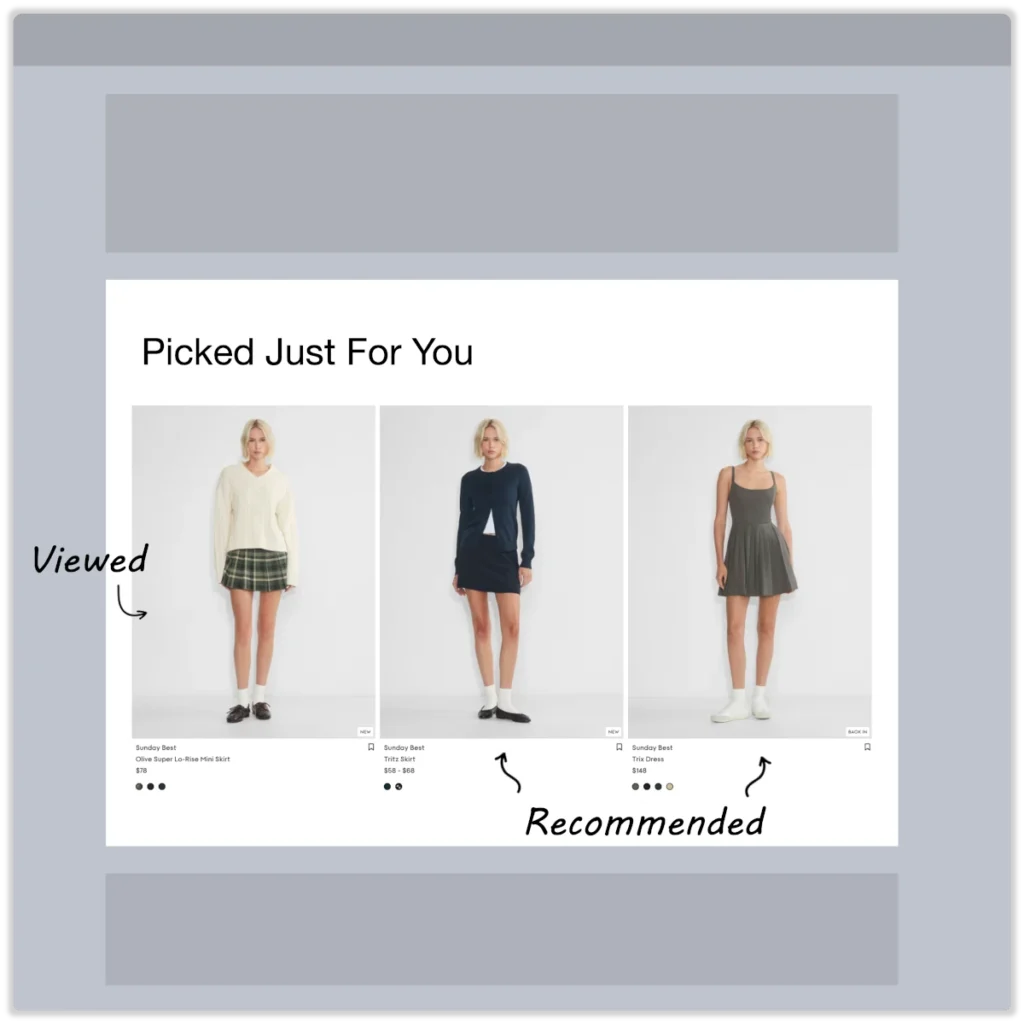
PERSONALIZATION EVENT: Viewed Product
Picked Just For You
PLAY: Combine the last viewed product with items the shopper is likely to view next.
WHY IT WORKS: The last viewed product increases relevancy to the shopper’s recent visit, while additional recommendations help extend their product discovery journey.
FALLBACK: If the ‘product viewed’ event is unavailable, display top-performing, most-viewed products by other email shoppers.
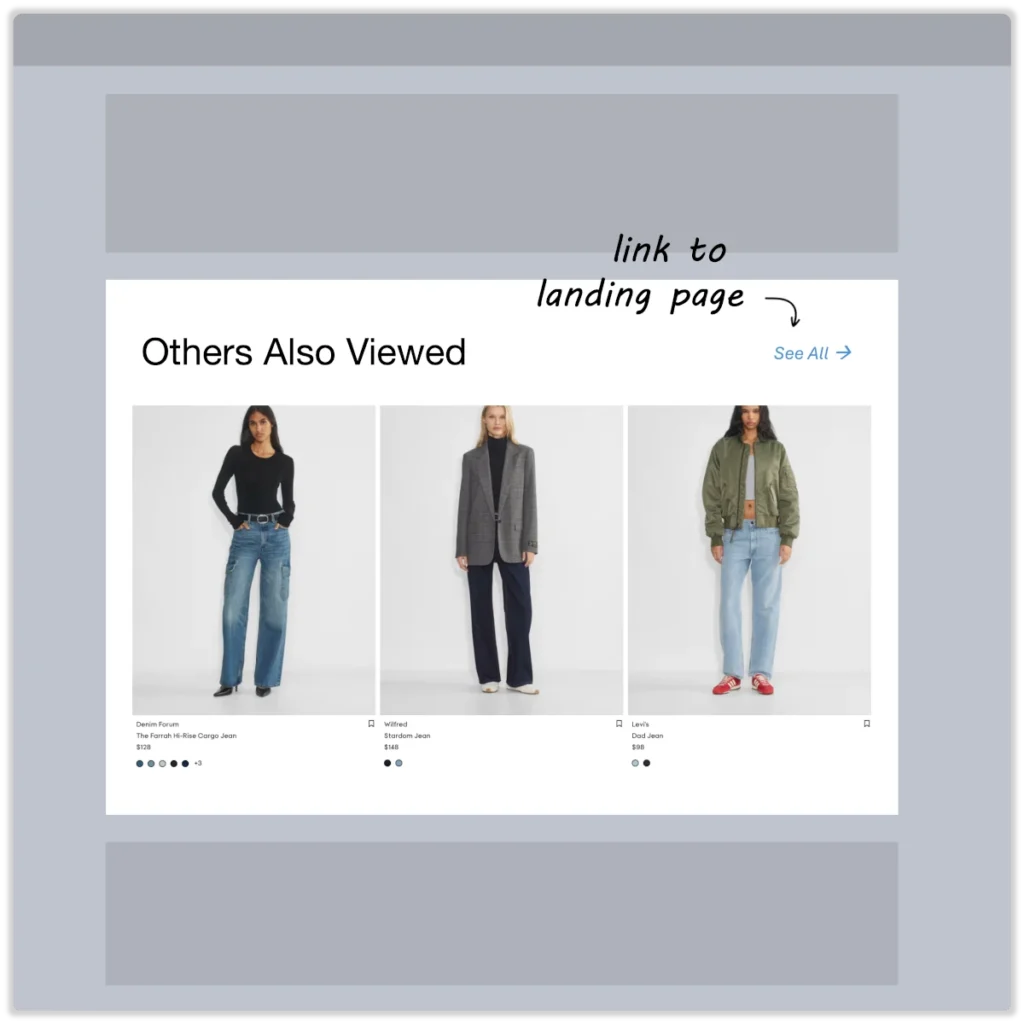
PERSONALIZATION EVENT: Landed on Page
Others Also Viewed
PLAY: Feature products that shoppers often view after arriving on a specific landing page.
WHY IT WORKS: A landing page reflects the shopper’s initial product interest. By recommending products that shoppers are likely to view after landing on a specific page, you significantly enhance the product discovery experience.
FALLBACK: If custom event tracking for ‘Landed on Page’ is not implemented, show top-performing products for the most successful landing page.
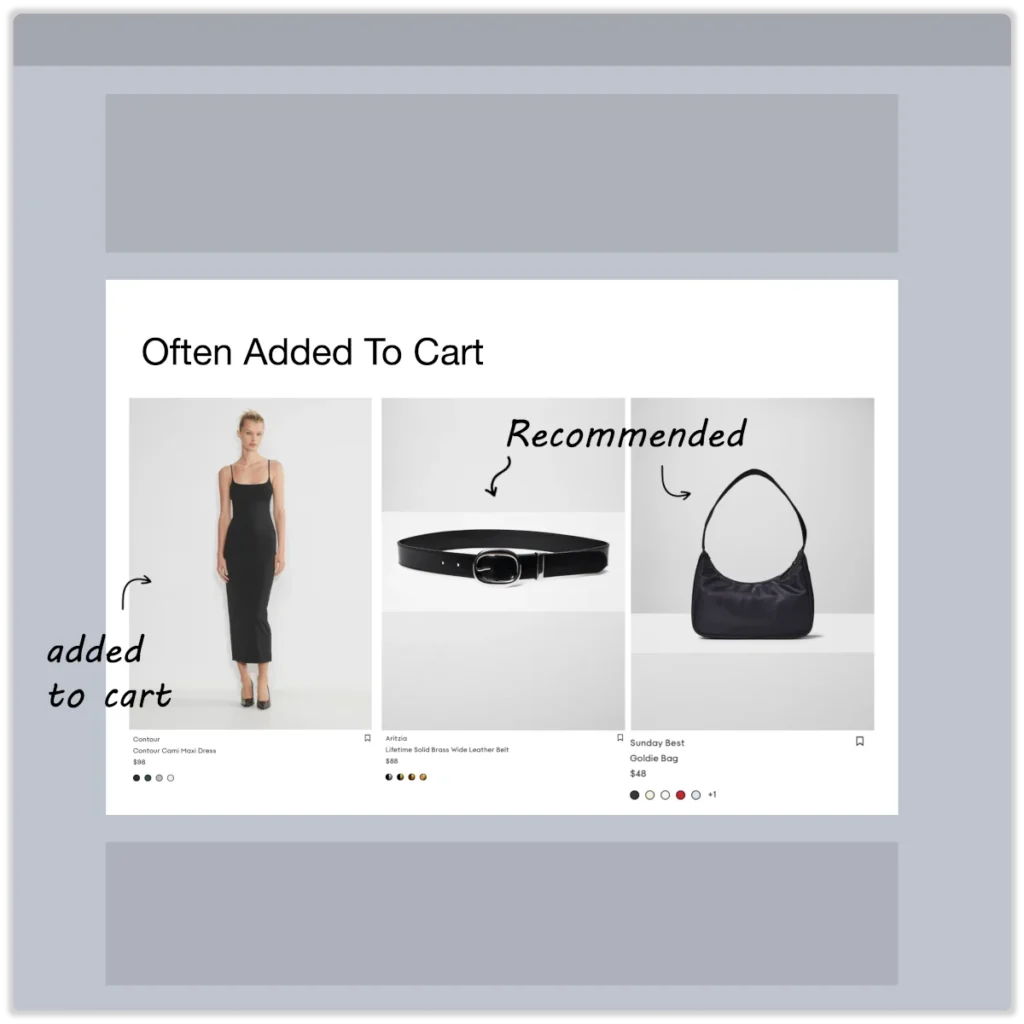
PERSONALIZATION EVENT: Add-to-Cart
Often Added To Cart
PLAY: Highlight products often added together to the cart by other email shoppers.
WHY IT WORKS: Each item added to the shopping cart is a strong signal of product-market fit. Showing shoppers what others have bought alongside an item in their cart often inspires them to return, complete their purchase, and buy additional products.
FALLBACK: If no ‘add-to-cart’ event is recorded, show top-performing products frequently added to the cart by email shoppers.
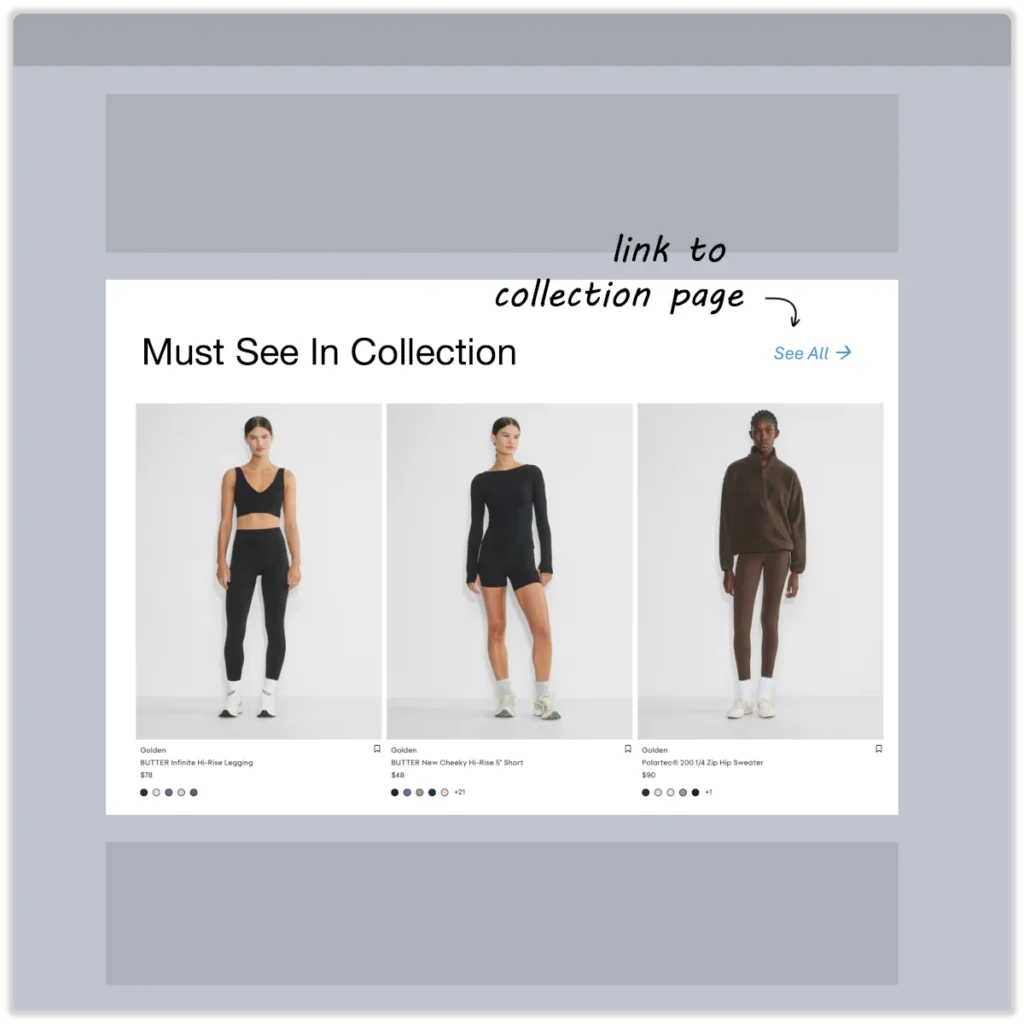
PERSONALIZATION EVENT: Viewed Category
Must See In Collection
PLAY: Feature top-performing products within a viewed product category.
WHY IT WORKS: A viewed category indicates a customer’s product interests. Limiting product recommendations to a single category is an effective way to accelerate product discovery.
FALLBACK: If no ‘Viewed Category’ event is recorded, show top-performing products in the best-performing category among new shoppers.
2. Email 2 / Day 1 — 1 day later
Strategy: Continue with product streams that are relevant to the contact’s recent store visit. In addition, start introducing indirectly related items to broaden their product interests.
Email Content
Best Practice: Send your offer again and remind them! Send your “best sellers” and “best-of” content.
Things to consider:
- A day later, a new contact should still remember their recent visit to your store, but you can no longer fully rely on it.
Product Streams
Implementation Notes:
- Start adding product recommendations that aren’t directly tied to the recent store visit.
- This serves as additional ‘shelf space,’ showcasing other products your brand offers that the shopper is likely unaware of.
UPLIFT MODELING: Acquisition - Sure Shots
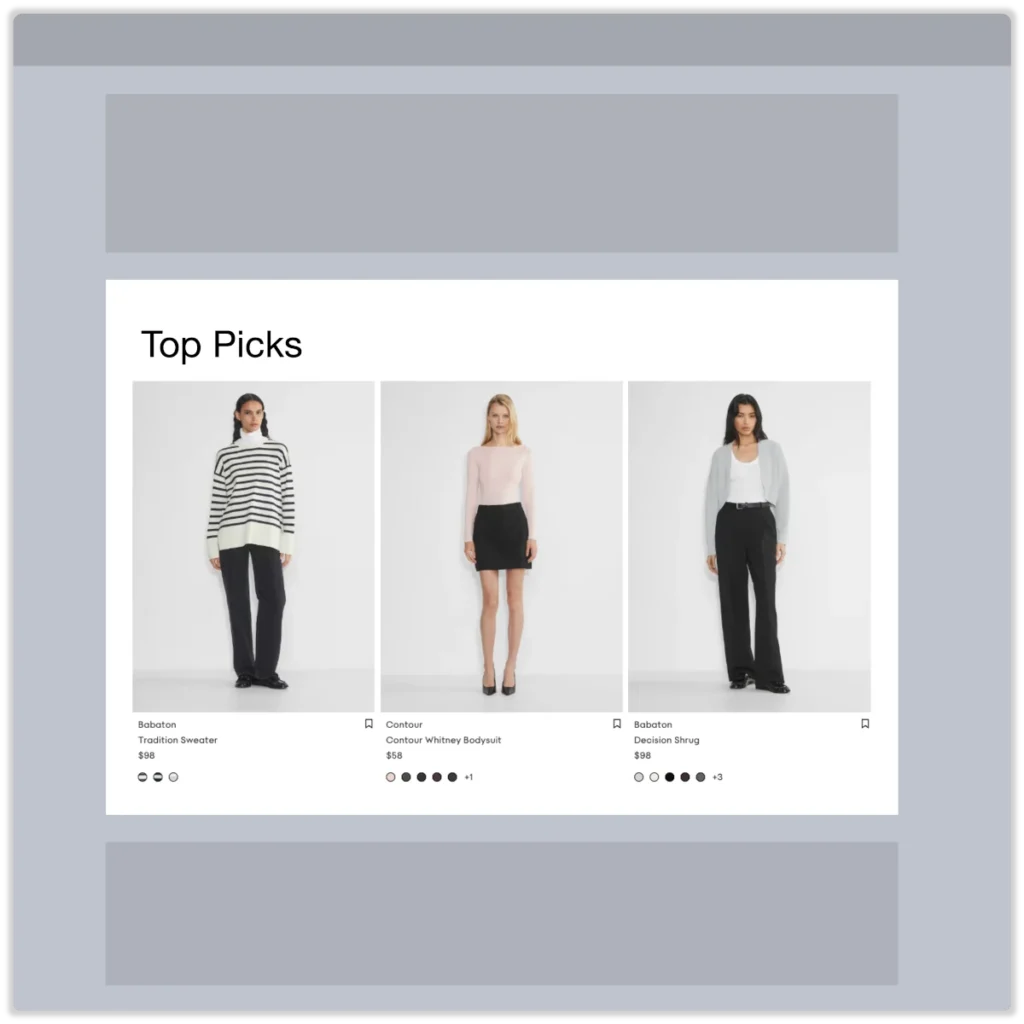
Top Picks
PLAY: Feature top performing products among email shoppers.
WHY IT WORKS: Showcasing what other email customers like is always effective marketing. By featuring items that grab email shoppers’ attention and also convert well, you create a win-win situation.
FALLBACK: If there aren’t enough top-performing items in the email channel, feature the top performers site-wide.
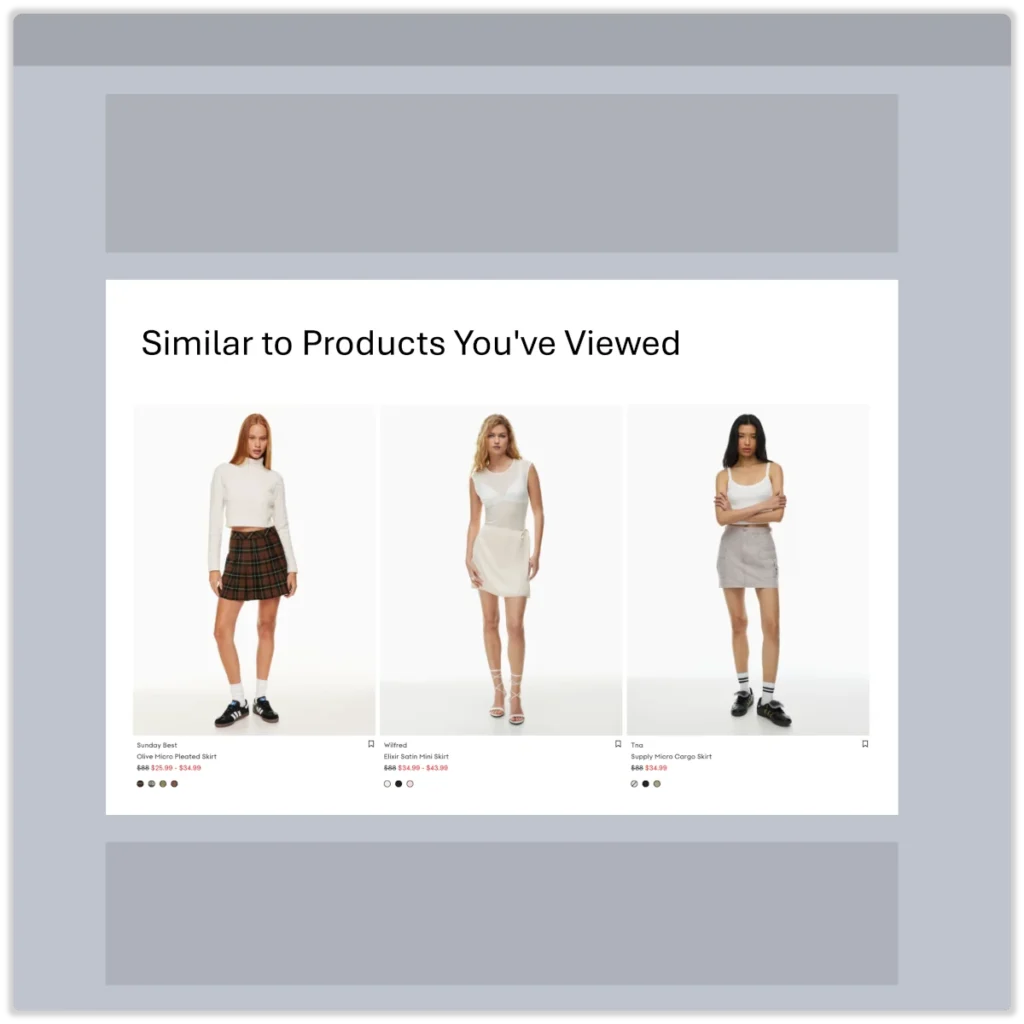
PERSONALIZATION EVENT: Viewed Product
Similar to Products You’ve Viewed
PLAY: Show top-performing items similar to the product viewed by other email shoppers.
WHY IT WORKS: Leveraging the last product viewed to generate a list of similar products maintains relevancy to the shopper’s recent visit while aiding in product discovery.
FALLBACK: If the ‘product viewed’ event is missing, display similar items to the top-performing product viewed by other email shoppers.
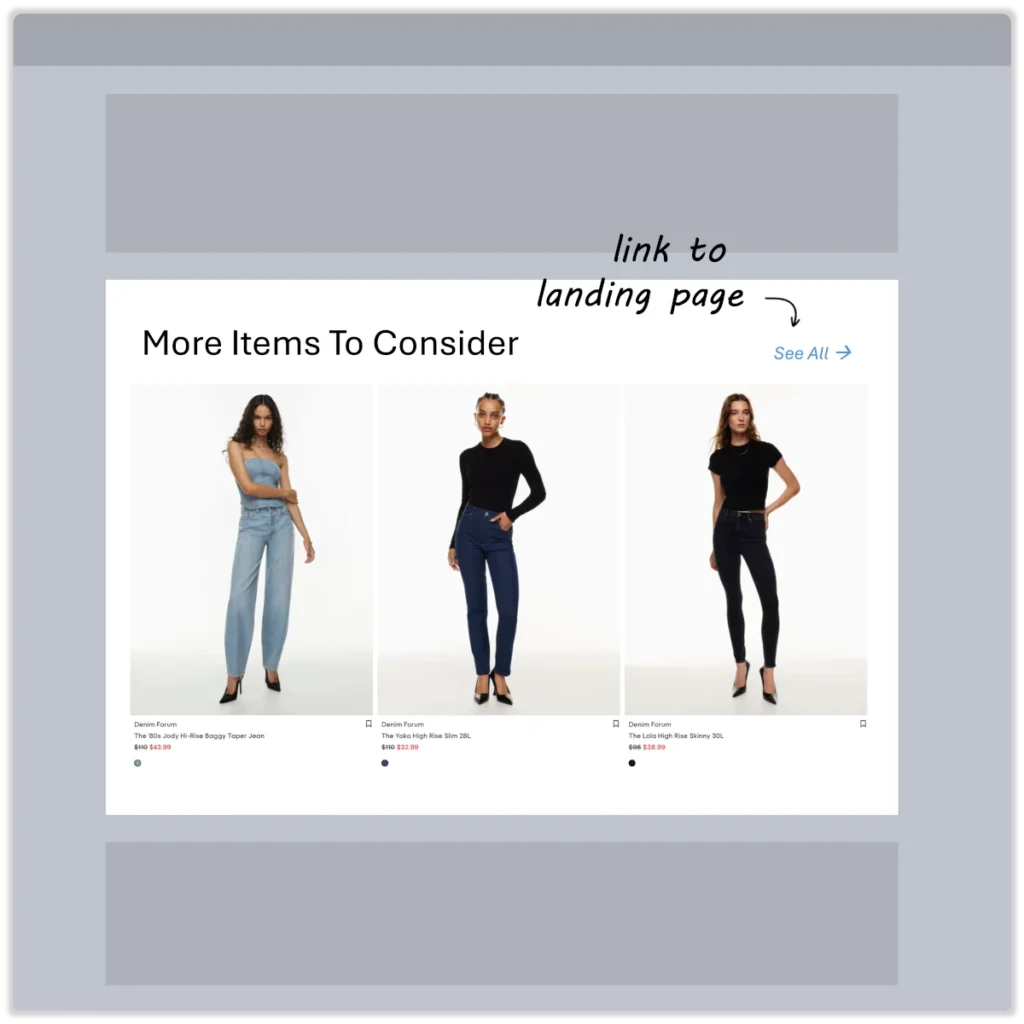
PERSONALIZATION EVENT: Landed on Page
More Items To Consider
PLAY: Feature similar products for shoppers who arrived on a specific landing page.
WHY IT WORKS: A landing page reflects the shopper’s initial product interest. By recommending top-performing products associated with shoppers who arrived on that page, you significantly enhance the product discovery journey.
FALLBACK: If custom event tracking for ‘Landed on Page’ is not implemented, show top-performing products for the most successful landing page among email shoppers.
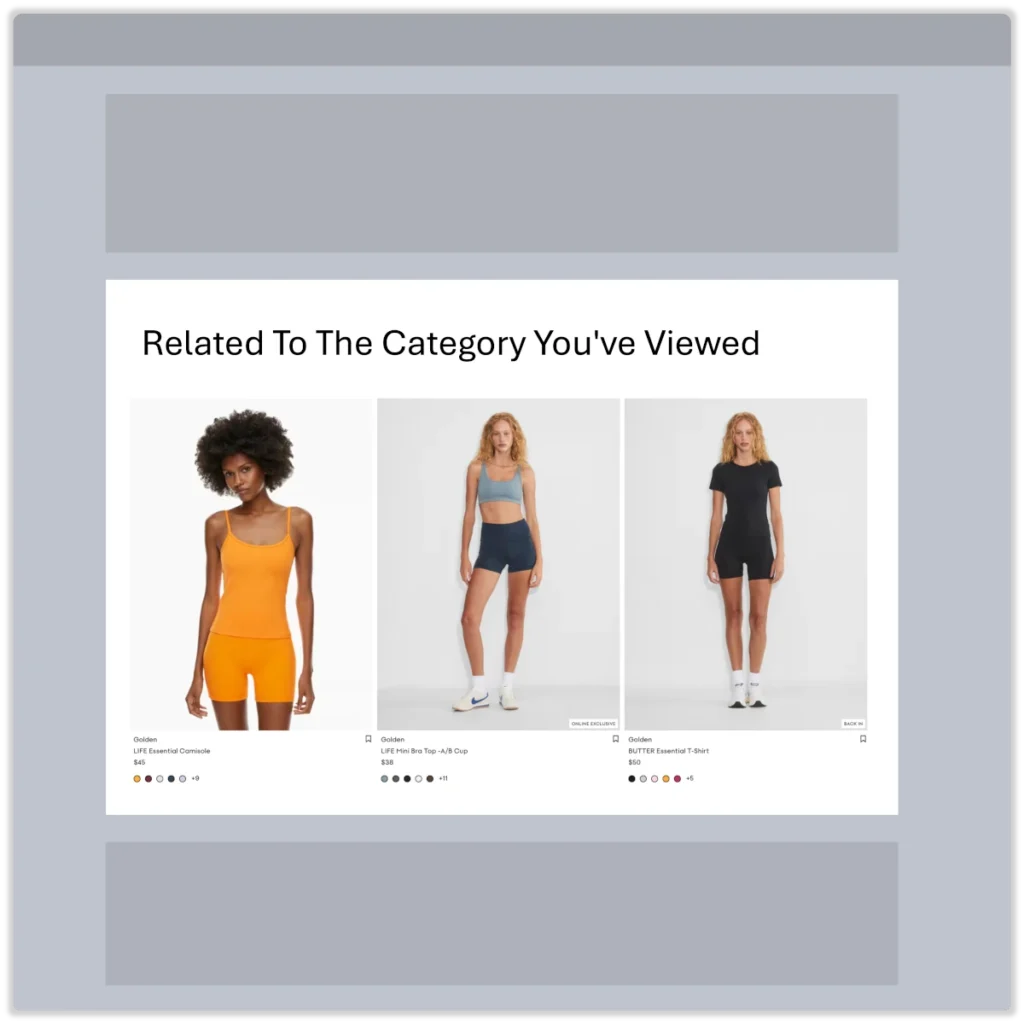
PERSONALIZATION EVENT: Viewed Category
Related To The Category You’ve Viewed
PLAY: Feature products similar to those in a category viewed by email shoppers.
WHY IT WORKS: A viewed category indicates a general interest in a type of product. Highlighting similar products from other categories is an effective way to broaden the range of product discovery.
FALLBACK: If no ‘Viewed Category’ event is recorded, show similar products to the top-performing product in the top-performing category among email shoppers.
3. Email 3 / Day 2 — 1 day later
Strategy: Start shifting focus away from the contact’s recent store visit by introducing product streams relevant to other similar email shoppers.
Email Content
Best Practice: Send another value-loaded piece of content. Really position yourself and/or your brand as an expert in your field; give away the single best tip or trick you have.
Unsubscribe all Non-Openers at this point but keep the rest in the flow.
Things to consider:
- As days pass, the impact of the recent store visit by a new contact begins to fade. It’s time to start exposing this shopper to the broader range of what your brand can offer.
Product Streams
Implementation notes:
- At this step in the email sequence, the mix of product streams should shift.
- Reduce the number of event-driven personalized recommendations and start introducing more product streams relevant to a broader audience of email shoppers.
UPLIFT MODELING: Engagement - Sure Shots
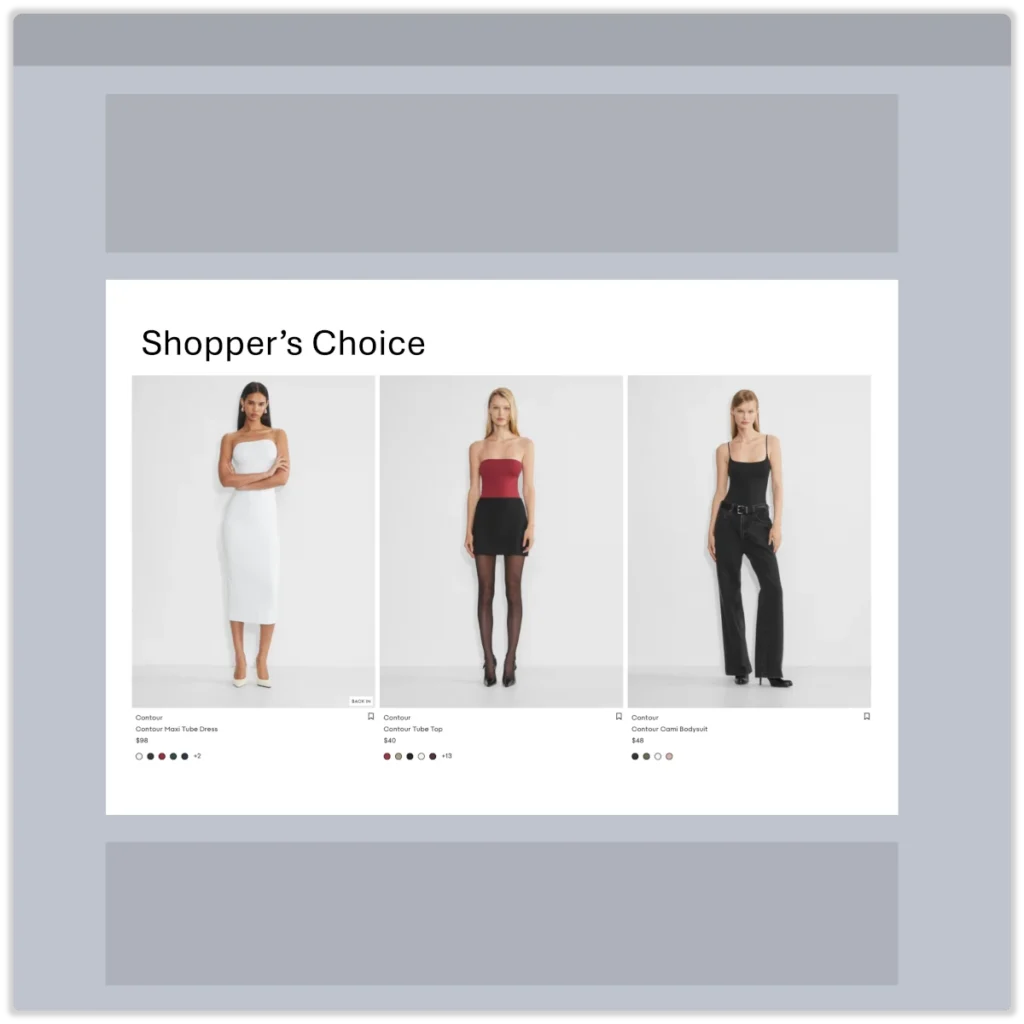
Shopper’s Choice
PLAY: Feature top-performing products most often engaged with by email shoppers.
WHY IT WORKS: Every product engagement is a buying signal. By showcasing top-performing products based on a blend of engagement and revenue metrics, you effectively help shoppers discover products they like while generating more revenue for your brand.
FALLBACK: If there aren’t enough top-performing items in the email channel, feature the top performers site-wide.
UPLIFT MODELING: Monetization - Persuadables
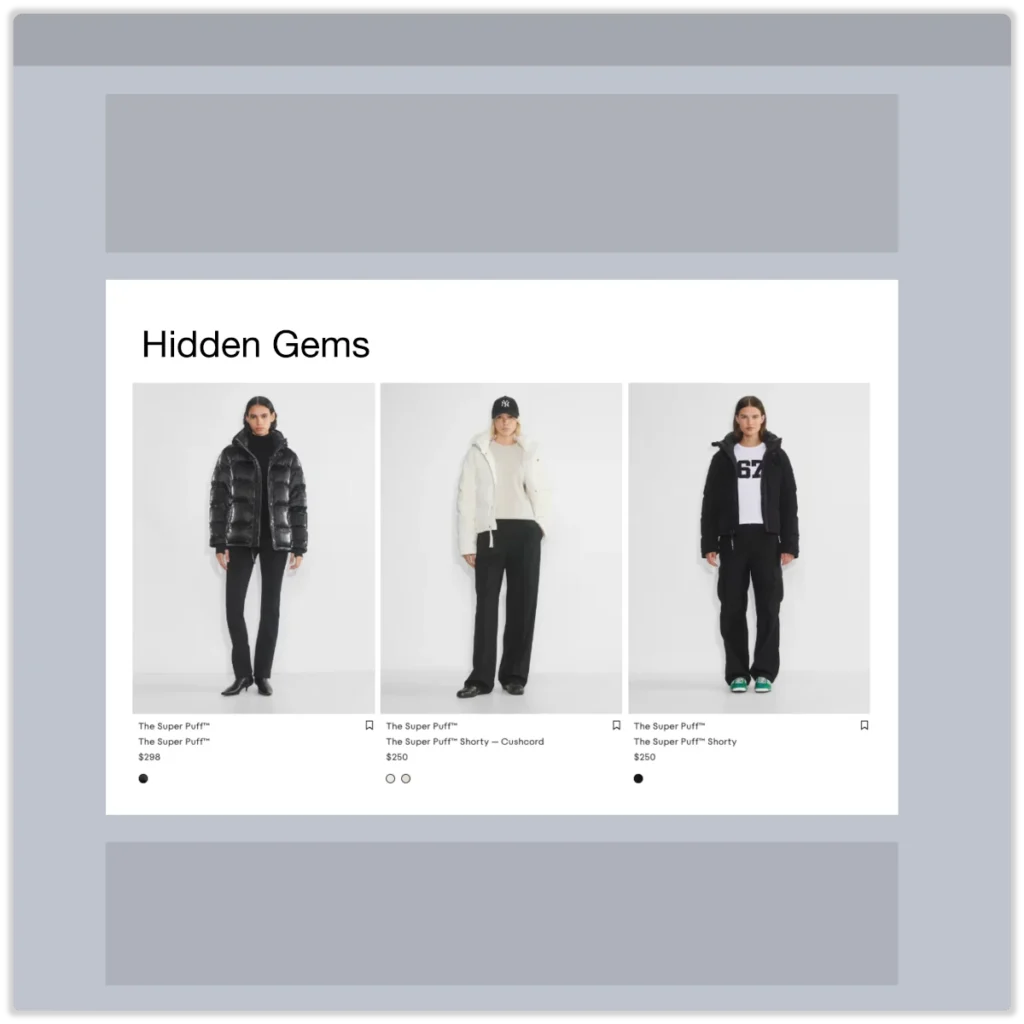
Hidden Gems
PLAY: Feature ‘persuadables’ — products with strong revenue performance metrics but limited add-to-cart actions among email shoppers.
WHY IT WORKS: These products perform well once shoppers add them to their carts. By highlighting these items in your emails, you’ll shorten the product discovery path while also boosting revenue metrics.
FALLBACK: If there aren’t enough ‘persuadables’ in the email channel, feature them site-wide.
PERSONALIZATION EVENT: Viewed Product
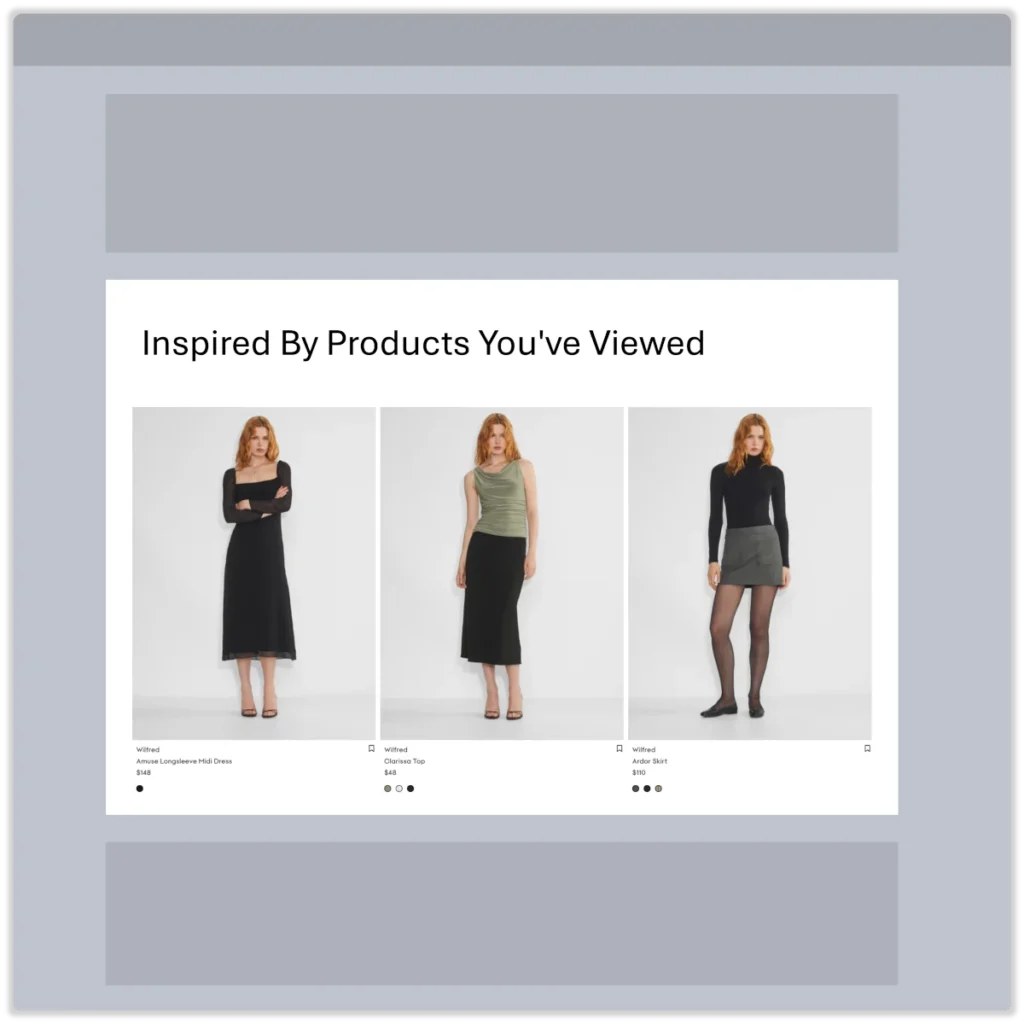
Inspired By Products You’ve Viewed
PLAY: Show top-performing items that are viewed together with the currently viewed product during the same session by other store visitors.
WHY IT WORKS: Leveraging the last product viewed to generate a list of products also viewed by other store visitors maintains relevancy while broadening the range of product options presented to the shopper.
FALLBACK: If the ‘product viewed’ event is missing, display top-performing, most-viewed products by other store visitors.
PERSONALIZATION EVENT: Landed on Page
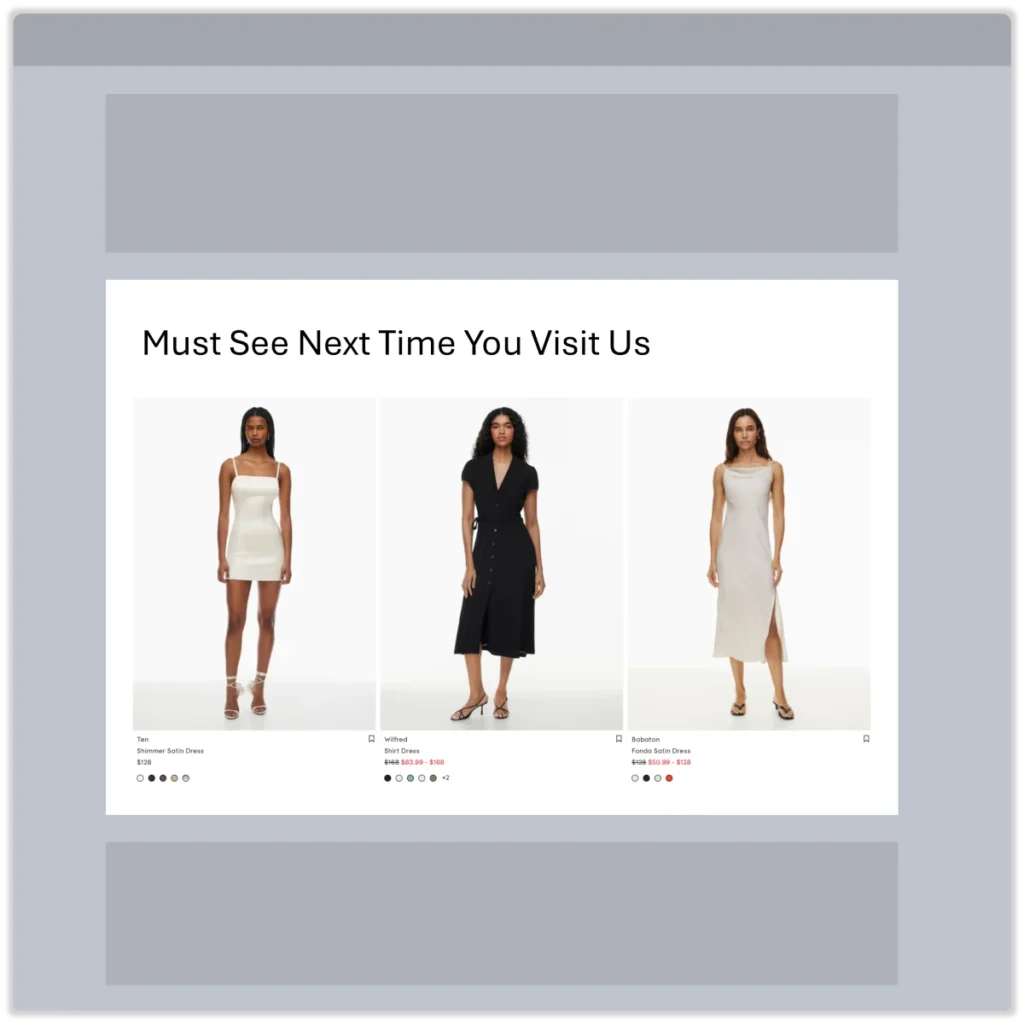
Must See Next Time You Visit Us
PLAY: Feature top-performing products for shoppers who arrived on a specific landing page.
WHY IT WORKS: A landing page reflects the shopper’s initial product interest. By recommending top-performing products associated with shoppers who arrived on that page, you significantly enhance the product discovery journey.
FALLBACK: If custom event tracking for ‘Landed on Page’ is not implemented, show top-performing products from the most successful landing page among all store shoppers.
4. Email 4 / Day 4 — 2 days later
Strategy: Introduce product streams that highlight a broad range of your catalog by showcasing top-performing products favored by other email shoppers.
Email Content
Best Practice: Send another value-loaded piece of content. Let others validate your brand by showing your customers testimonials and reviews!
Things to consider:
- After sending three emails without successfully bringing the shopper back to your store, it’s clear that you’re dealing with a low-intent contact.
- At this point, you need to dig deeper into your product catalog to reignite their interest in your brand.
Product Streams
Implementation notes:
- If the email contact did not engage with store-visit-related recommendations, it’s time to broaden your approach by introducing product streams that have performed well with other email shoppers.
UPLIFT MODELING: Retention - Sure Shots
All-Time Favorites
PLAY: Feature products with top-performing customer retention metrics for email shoppers.
WHY IT WORKS: Certain products in your catalog have lasting appeal to your email contacts. By showcasing top-performing products based on retention metrics, you’ll drive more shoppers back to your store and increase customer lifetime value.

UPLIFT MODELING: Engagement - Persuadables
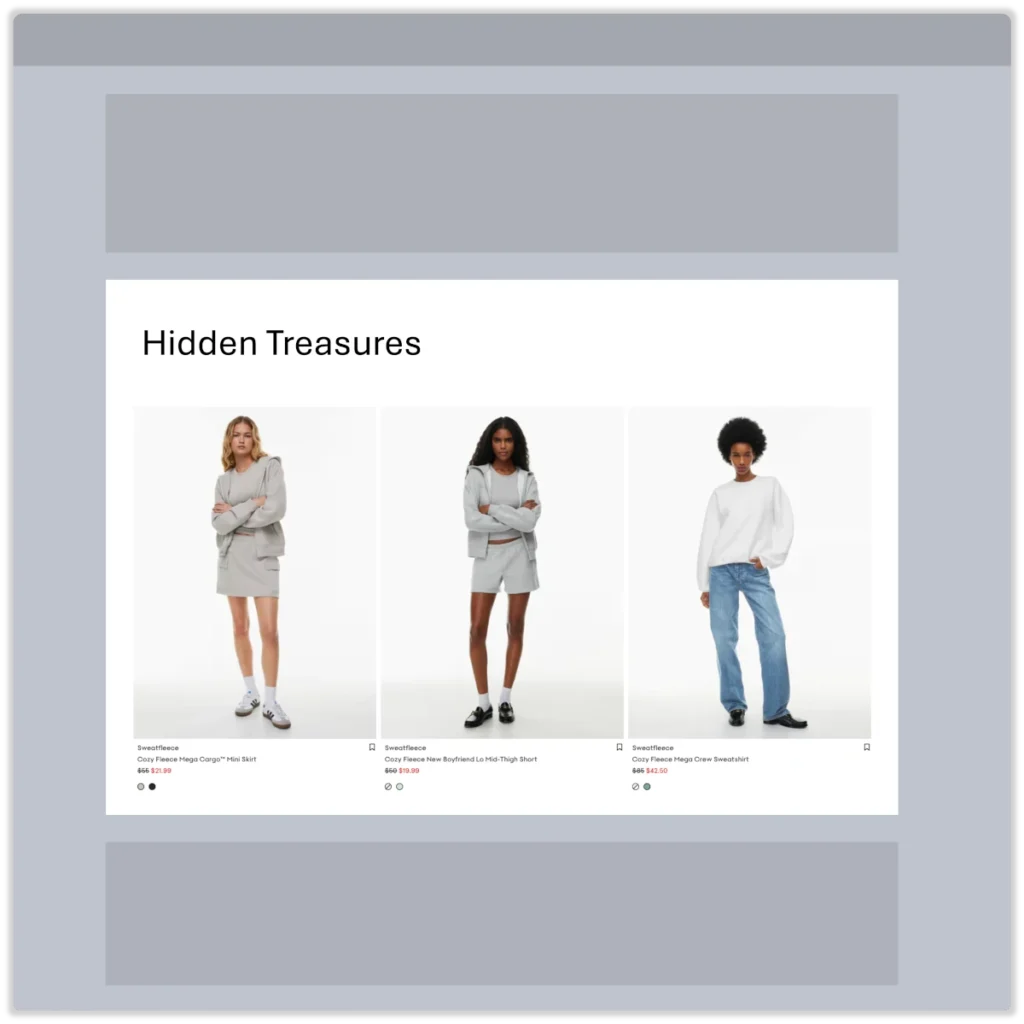
Hidden Treasures
PLAY: Feature ‘persuadables’ — products with strong revenue performance metrics but limited engagement among email shoppers.
WHY IT WORKS: These products perform well once shoppers view them. By highlighting these items in your emails, you’ll expand the range of products your shoppers discover while also boosting revenue metrics.
UPLIFT MODELING: Monetization - Sure Shots
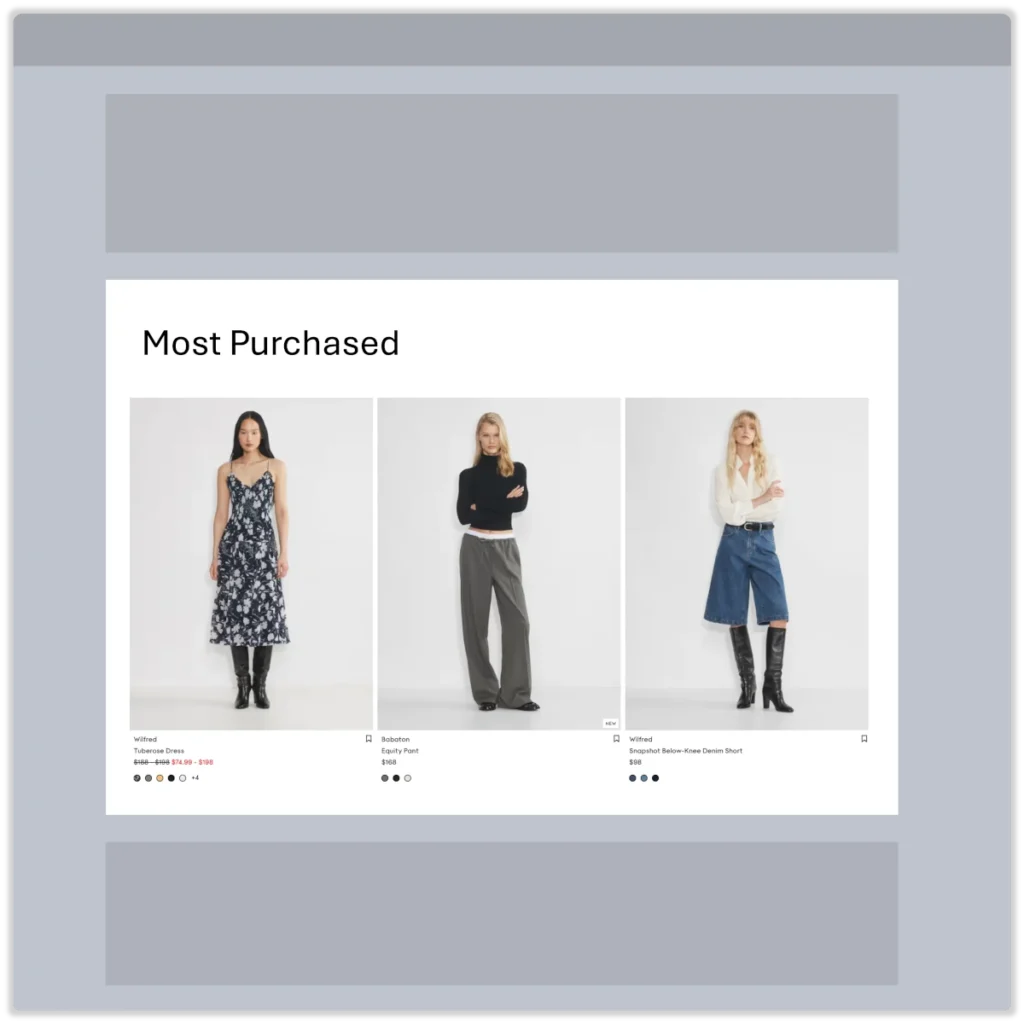
Most Purchased
PLAY: Feature top-performing products most often added to cart by email shoppers.
WHY IT WORKS: Every product added to the cart by your email shoppers is a strong indicator of product-market fit. By showcasing top-performing products based on a blend of add-to-cart rate and revenue per cart, you effectively help shoppers discover products they are likely to buy.
UPLIFT MODELING: Acquisition - Persuadables
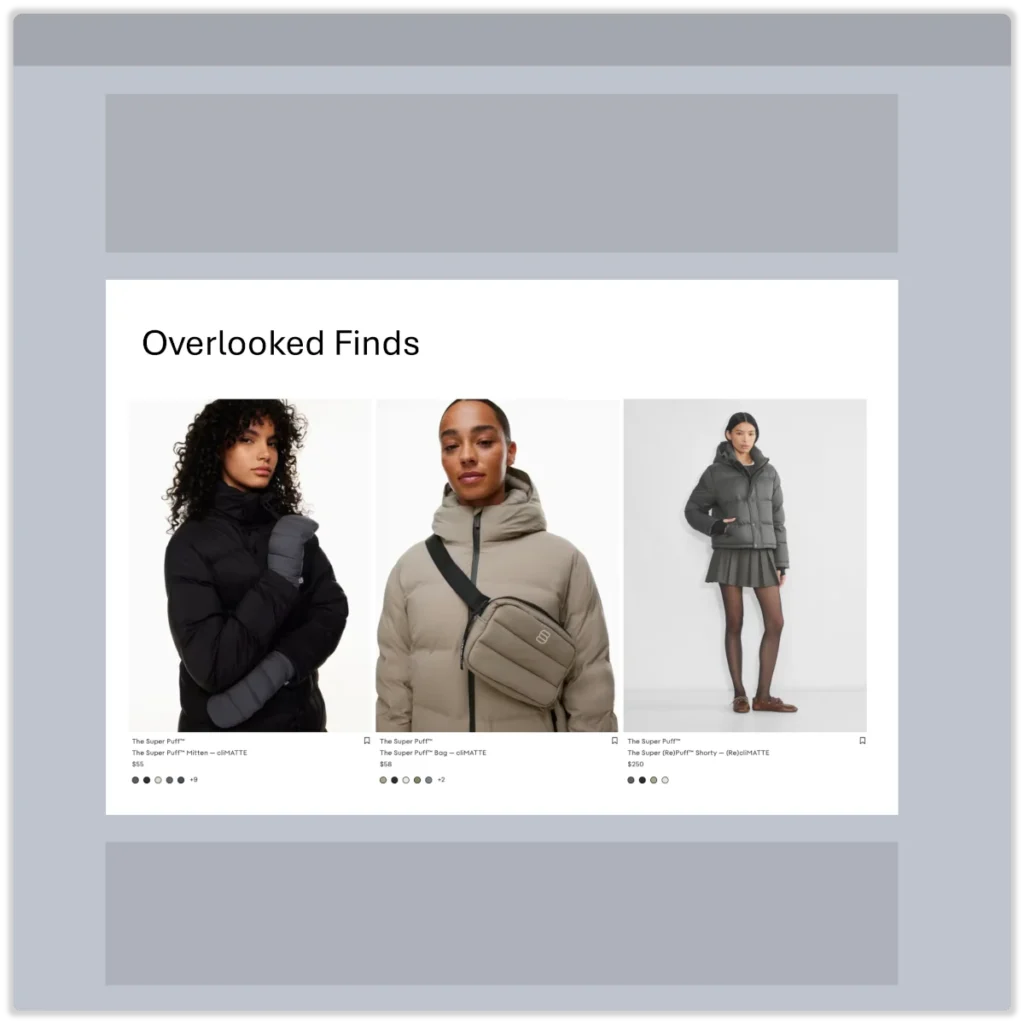
Overlooked Finds
PLAY: Feature ‘persuadables’ — products with strong revenue performance metrics but limited exposure among email shoppers.
WHY IT WORKS: These products perform well once shoppers view them. By highlighting these items in your emails, you’ll expand the range of products your shoppers discover while also boosting revenue metrics.
5. Email 5 / Day 7 — 3 days later
Strategy: Cast the widest product streams net possible by showcasing the full range of your brand’s offerings through top-performing products preferred by other new store visitors.
Email Content
Best Practice: The top of your email should stay unchanged and follow Retention.com recommendations:
- Create a “Limited-Time” offer and wrap up your sequence.
Things to Consider:
- As days pass, a new contact’s store visit becomes a distant memory.
- At this point, treat the contact as a low-intent shopper and focus on earning continued engagement by showcasing the variety of products your brand offers.
Product Streams
Implementation notes:
- Expand your emails to include as many types of product recommendations from the list below as possible.
- You have little to lose and much to gain if a contact engages with this content.
UPLIFT MODELING: Acquisition - Performance
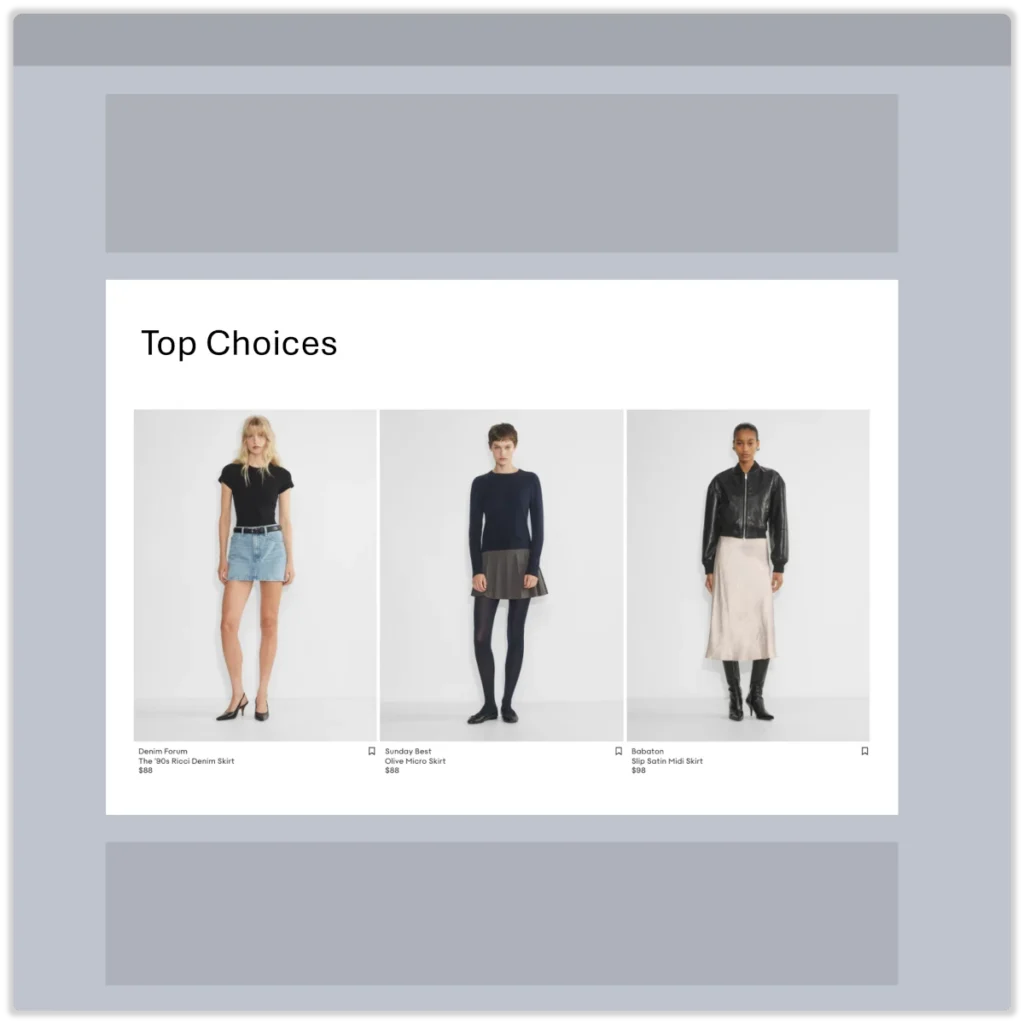
Top Choices
PLAY: Feature top performing products among all shoppers.
WHY IT WORKS: By featuring items liked by all your online store customers that also convert well, you’ll help your email shoppers more easily find products they like and are motivated to buy.
UPLIFT MODELING: Engagement - Performance
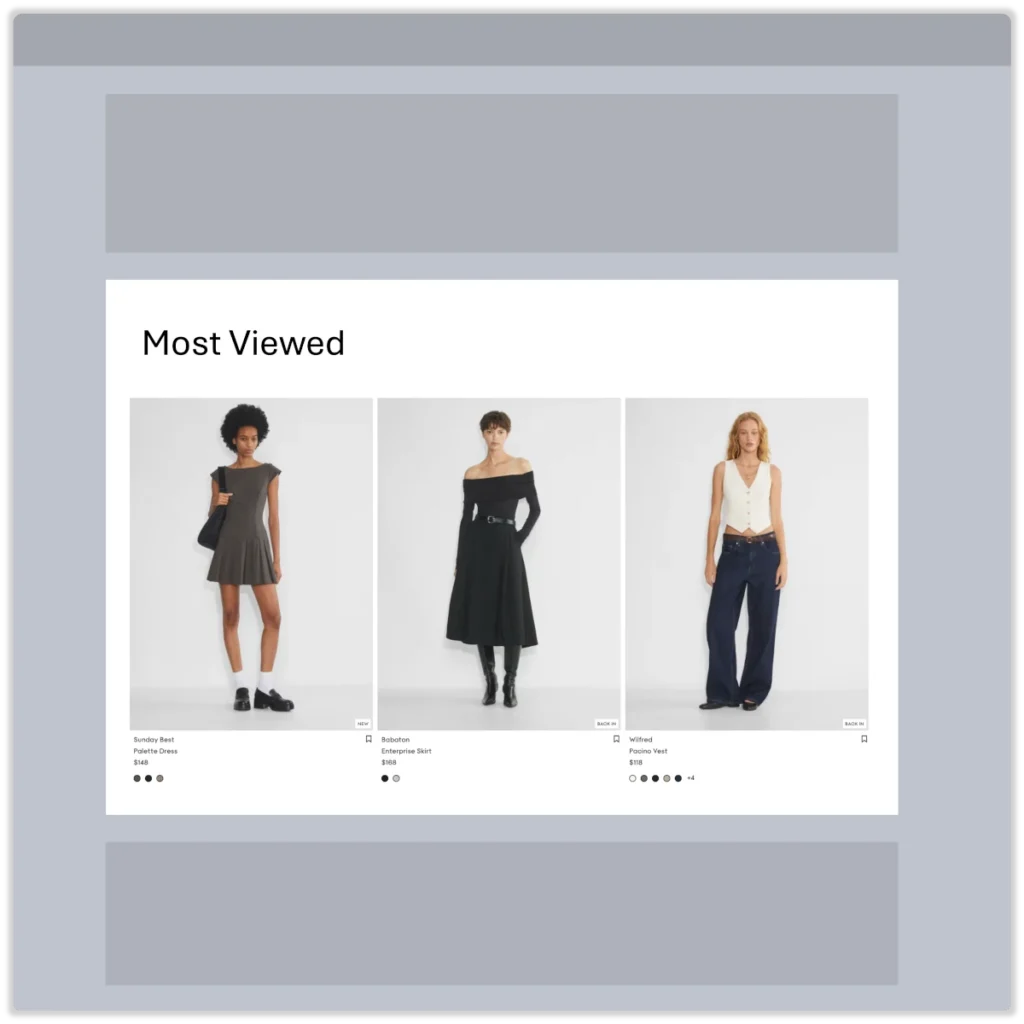
Most Viewed
PLAY: Feature top-performing, most-viewed products among all shoppers.
WHY IT WORKS: By featuring items most frequently engaged with by your online store customers that also convert well, you’ll help your email shoppers more easily find products they like and are motivated to buy.
UPLIFT MODELING: Monetization - Performance
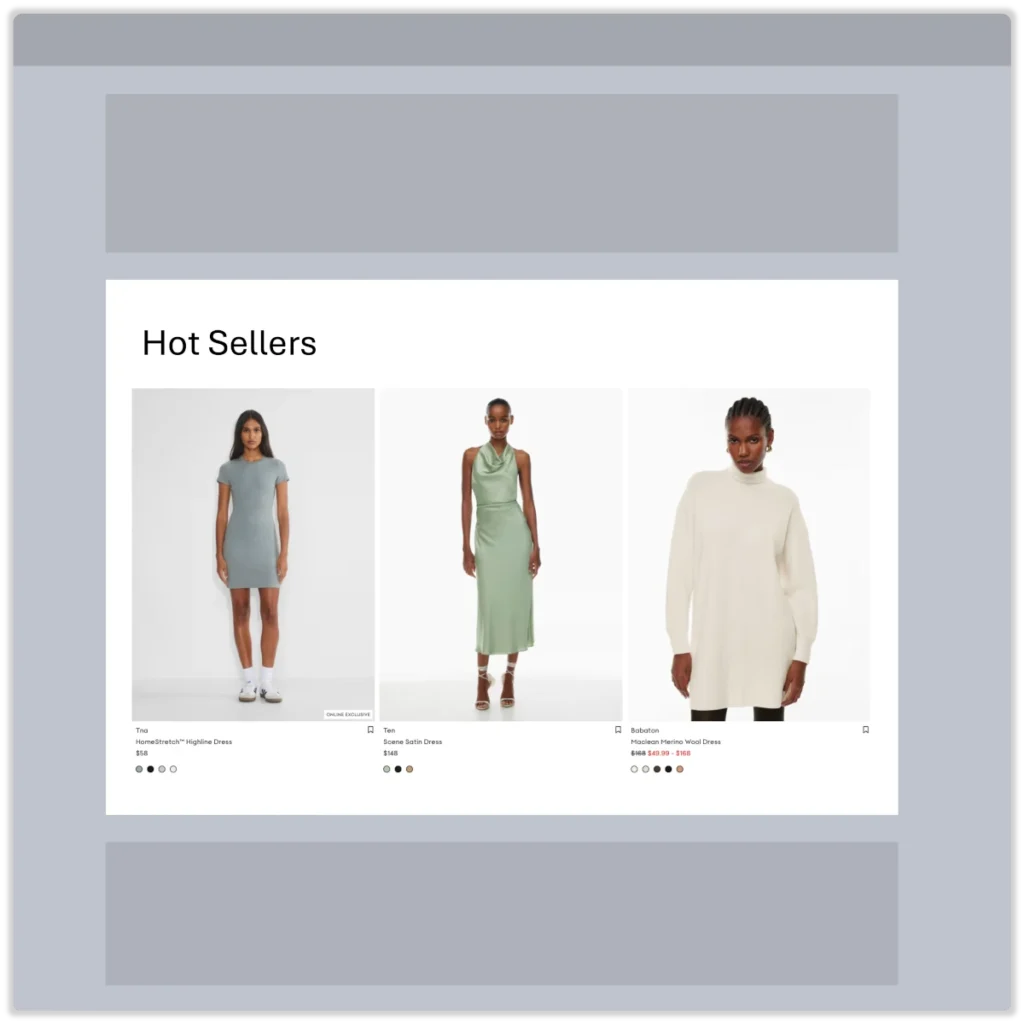
Hot Sellers
PLAY: Feature top-performing, most-added-to-cart products among all shoppers.
WHY IT WORKS: By featuring items most frequently added to cart by your online store customers that also convert well, you’ll help your email shoppers more easily find products they want to add to their cart.
UPLIFT MODELING: Retention - Performance
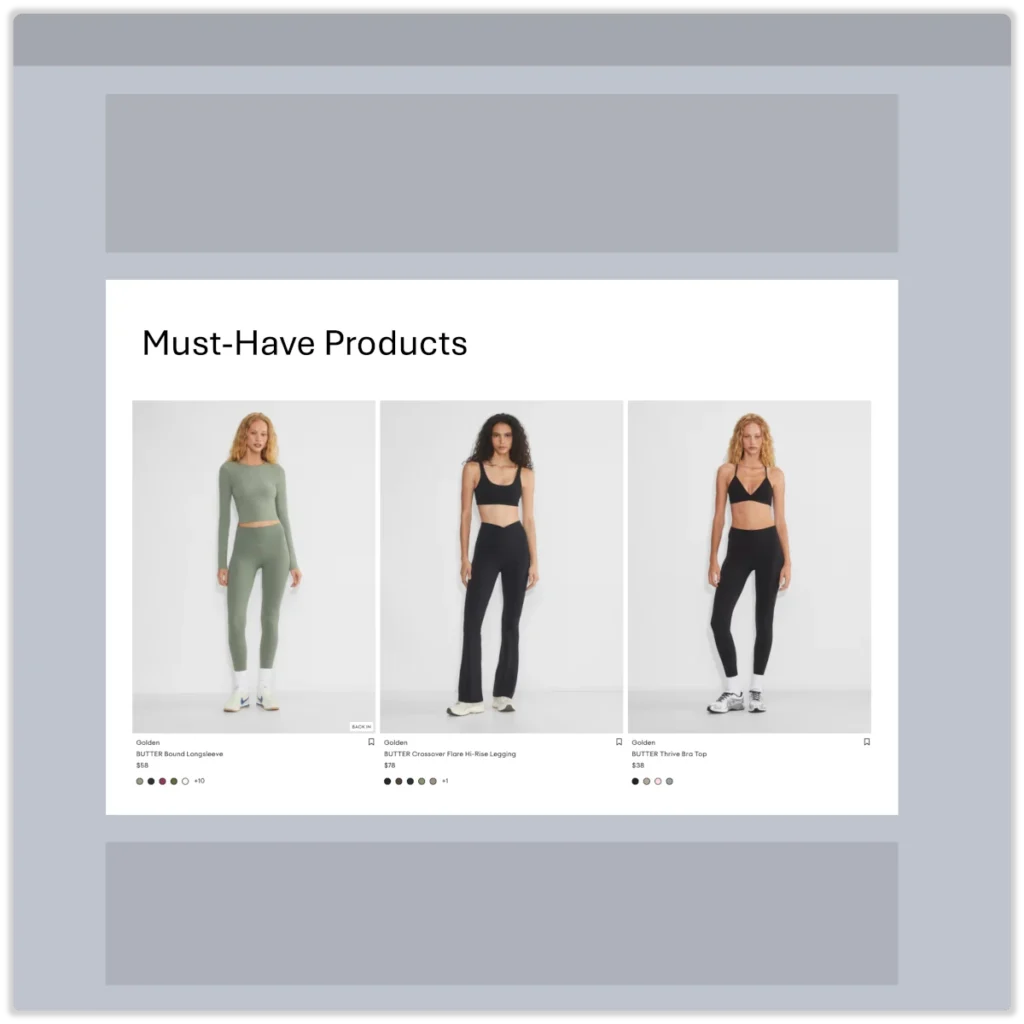
Must-Have Products
PLAY: Feature top-performing, retention-driving products among all shoppers.
WHY IT WORKS: By featuring items preferred by long-time customers that also convert well, you’ll retain more email shoppers who can easily find products they want to buy from your store.
After the Series
Strategy: Keep the conversation going by assigning contacts who have completed this email sequence to appropriate segments and automated flows. Each of your automated email flows, periodic marketing emails, and newsletters should be enriched with relevant product streams to boost engagement and drive email revenue growth.
Email Content
Best Practice: If and only if they interacted with your series (clicks OR opens), put them into your normal email marketing! They like you, and they know you. Just keep the conversation open.
Things to consider:
- When it comes to retaining newly captured contacts, you must take a long-term approach and maintain regular email communication.
- Your success in retaining these contacts will depend on your ability to make your emails relevant to individual shoppers.
Product Recommendation Types
This Retention.com welcome flow should serve as a blueprint for how to think about and enrich your other email sequences and brand promotion emails with relevant ecommerce content.
The following is a brief summary of different types of product recommendations available for transforming your conventional marketing emails into ecommerce landing pages:
- Personalization: Drive the highest level of relevance to individual shopper needs through event-driven product personalization. This approach is based on the discovery that shopper behavior is a far better predictor of product needs than demographic data.
- Uplift Modeling: Unlock your brand’s full market potential by detecting true buying signals from your shoppers. This is achieved through the ability to automatically measure the impact of marketing interventions on both participants and non-participants in your campaigns.
- Segments: Effectively target specific email segments with the most relevant offers by mapping online store product performance to segments in your email app.
- Trending: Capitalize on shifts in market demand for your products by leveraging historical data combined with personalization and uplift modeling algorithms.
- Deals: Boost profitability through strategic use of price discounts by incorporating product performance insights along with personalization and uplift modeling algorithms.
Conclusion
We hope the supercharged Retention.com welcome flow template illustrates the potential and value of transforming your ordinary welcome emails into highly personalized messages with a rich ecommerce experience. This is how many of our existing customers are achieving 2x more revenue from new contacts captured by Retention.com.
Our team can set up this Retention.com welcome flow directly in your Klaviyo account — so you can start driving more revenue from cold leads without lifting a finger. It’s completely free. Book a call to get started — this offer is available to brands with product catalogs of 50+ products. ENDOFFILE